Unity Editor tool · Version 1.1.0

ZOOKEEPER

Lay out, label, budget-check and review a whole prefab library in one scene, from a single library asset.

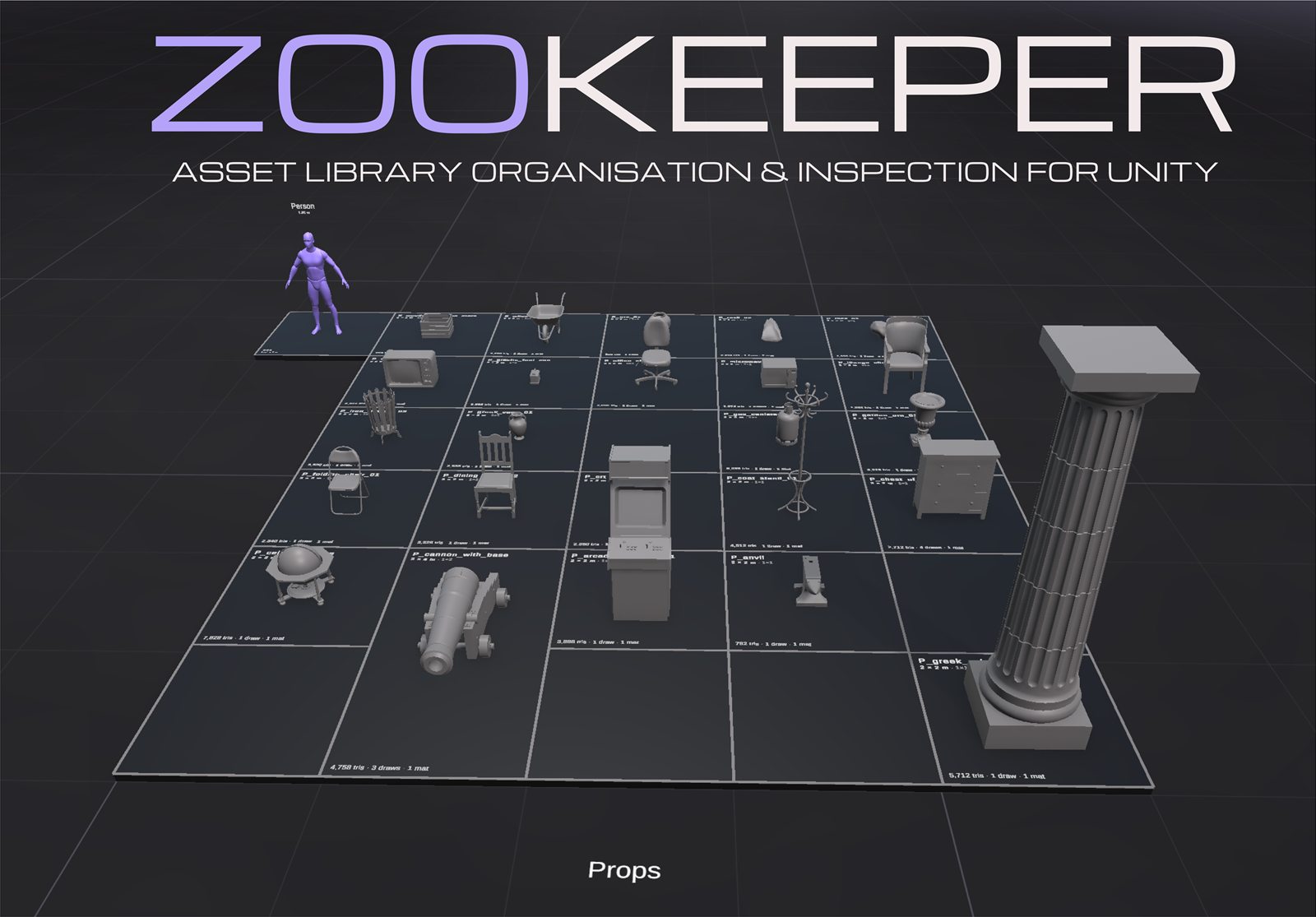
Get it on the Asset Store Support ZooKeeper zoo scene: props arranged on a labelled grid platform next to a purple human scale reference.
What it does

A zoo for your assets

Sort models into categories and ZooKeeper builds a platform per category, places every asset on a packed grid, labels it with live mesh stats, and flags anything broken or over budget. The scene is a disposable rendering of the library, so it can be regenerated at any time instead of hand-placed.

Showcase scene in minutes

Drag prefabs, FBX files, sprites or scene objects in; get platforms, grids, labels and a scale reference.

2D mode

Per library: the zoo stands up on the XY plane facing the camera, with sprite stats (pixels, pixels per unit, atlas, compression, mesh type, sorting).

Live stats

Triangles, vertices, draw calls, materials, LODs, textures, texture memory, size and shader per asset, read from LOD0 and kept current on reimport. Particle systems add max particles, particle mesh tris and flags for noise, collision, lights, sub-emitters and mesh mode.

Per-category budgets

Set limits once; offenders turn red in the scene, get a badge in the list and show up in a CSV report.

Library management

Sort, filter, drag to reorder, batch rename, merge two artists' zoos, export to a standalone scene.

Screenshots
See it in the Editor

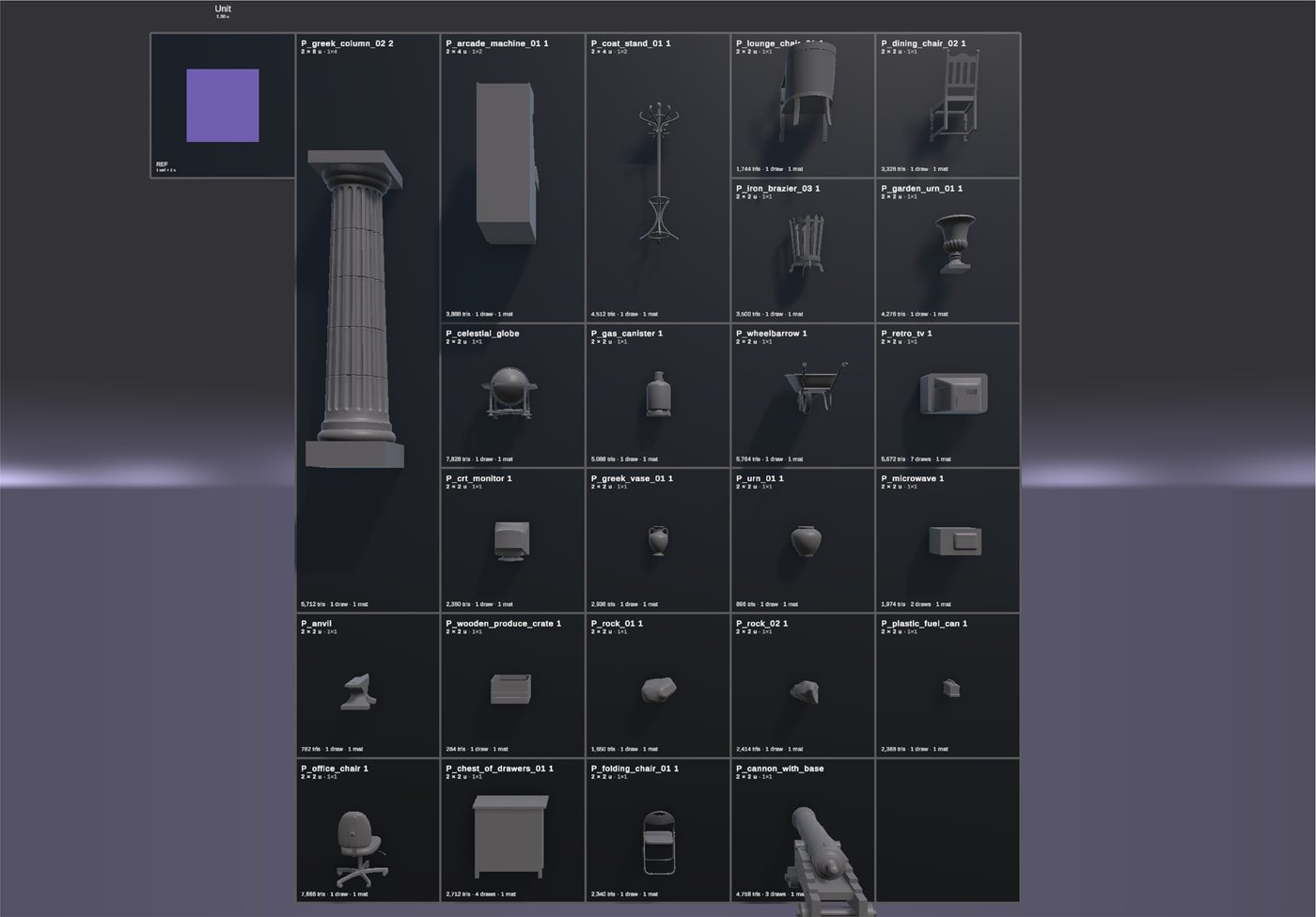
  • ZooKeeper in 2D mode: assets arranged on a flat grid on the XY plane, each cell labelled with its name and stats.
    2D mode arranges assets on the XY plane for a clearer overview of 2D asset libraries.
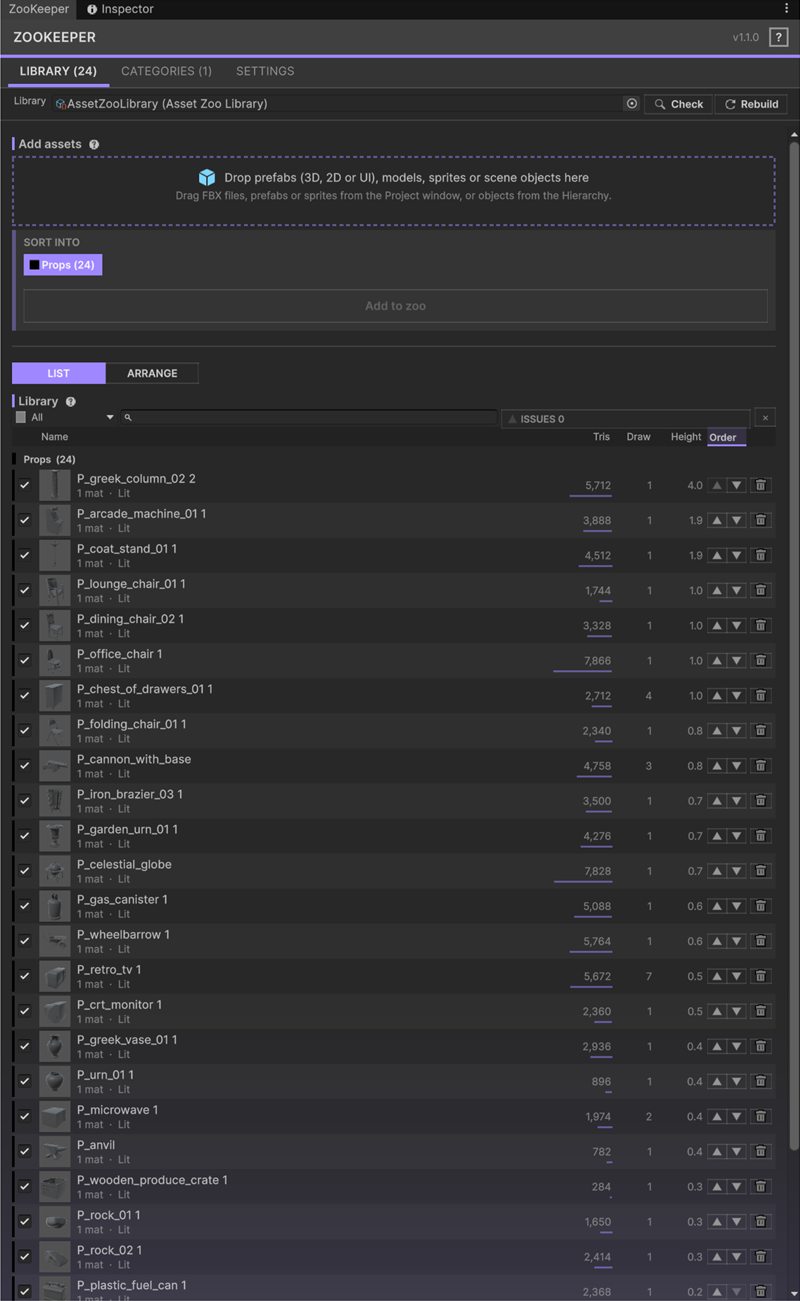
  • ZooKeeper window, Library tab, list view: every asset with triangle count, draw calls and height.
    Library list with triangles, draw calls and height per asset.
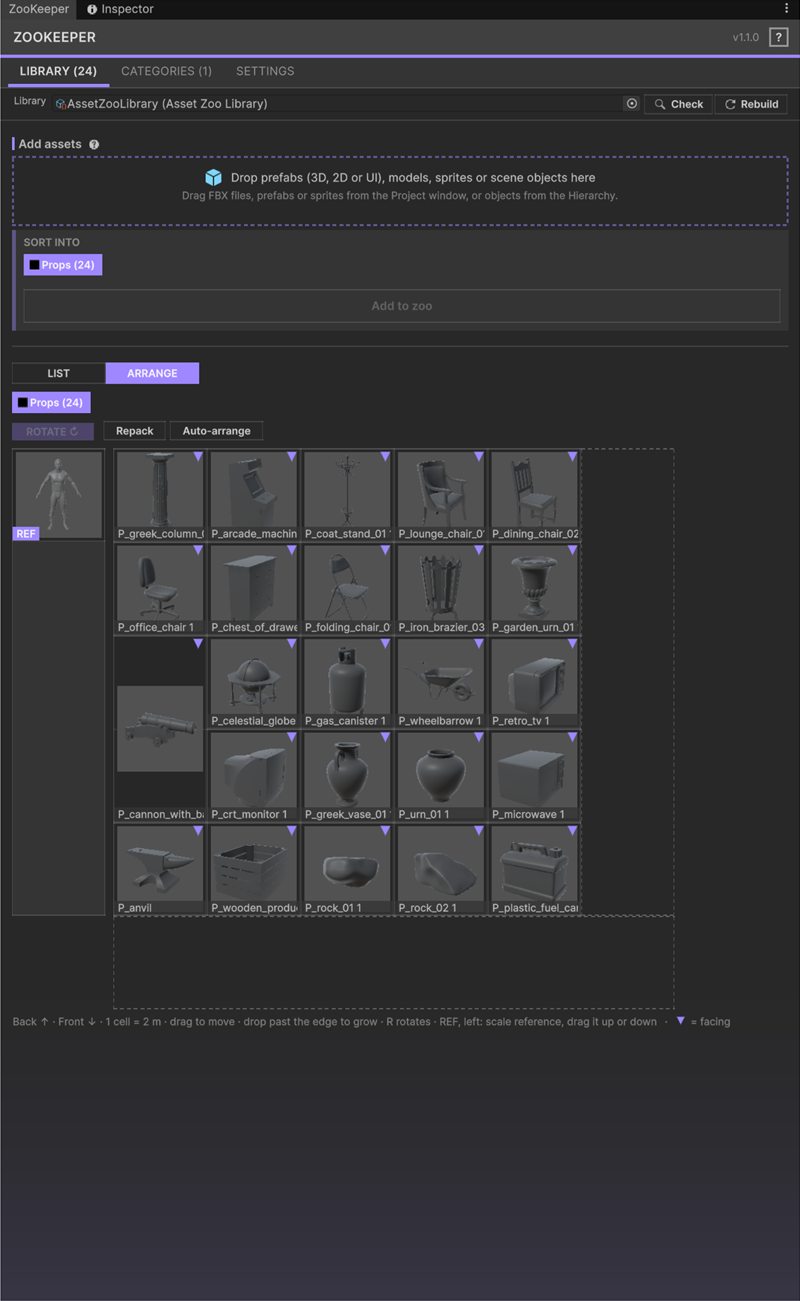
  • ZooKeeper window, Library tab, arrange view: asset thumbnails on a draggable grid next to the scale reference.
    Arrange view: drag assets around the category grid.
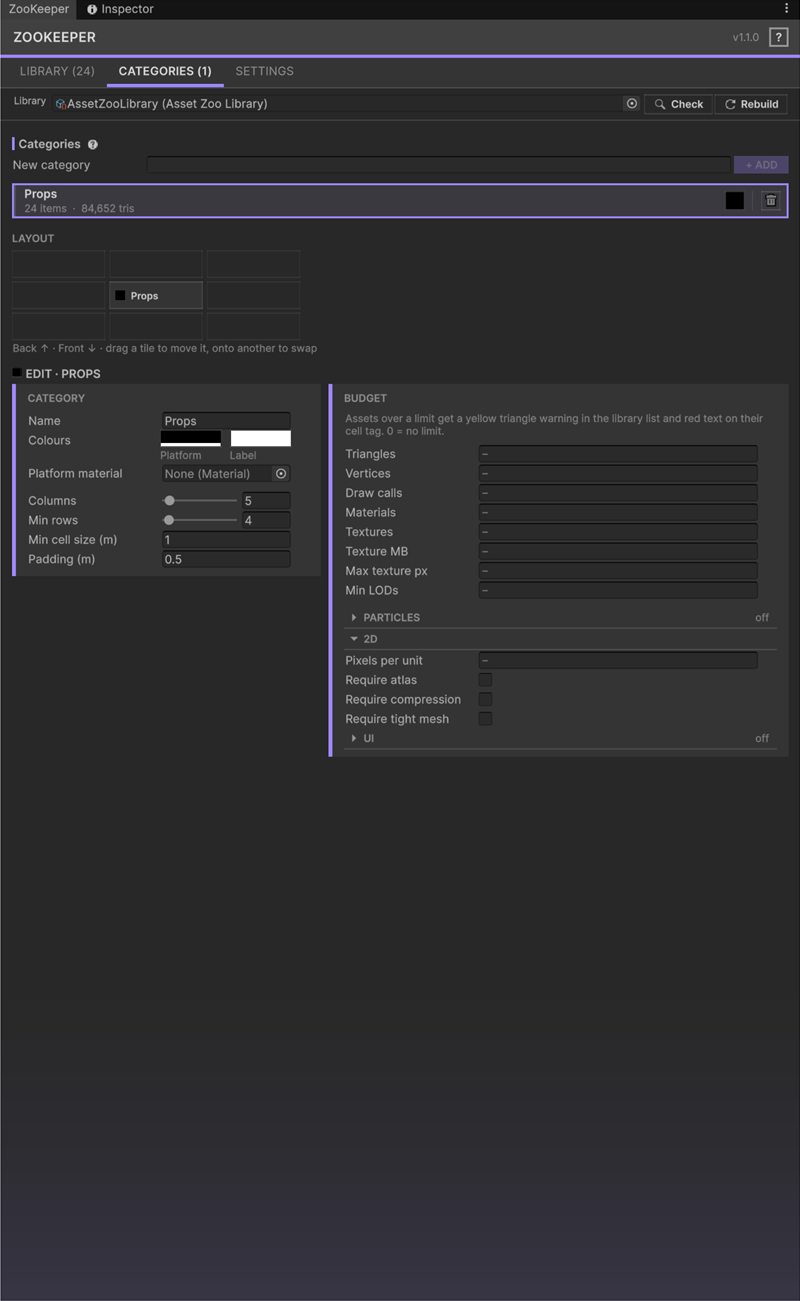
  • ZooKeeper window, Categories tab: category layout, colours and budget limits for triangles, draw calls and textures.
    Categories: layout, colours and per-category budgets.
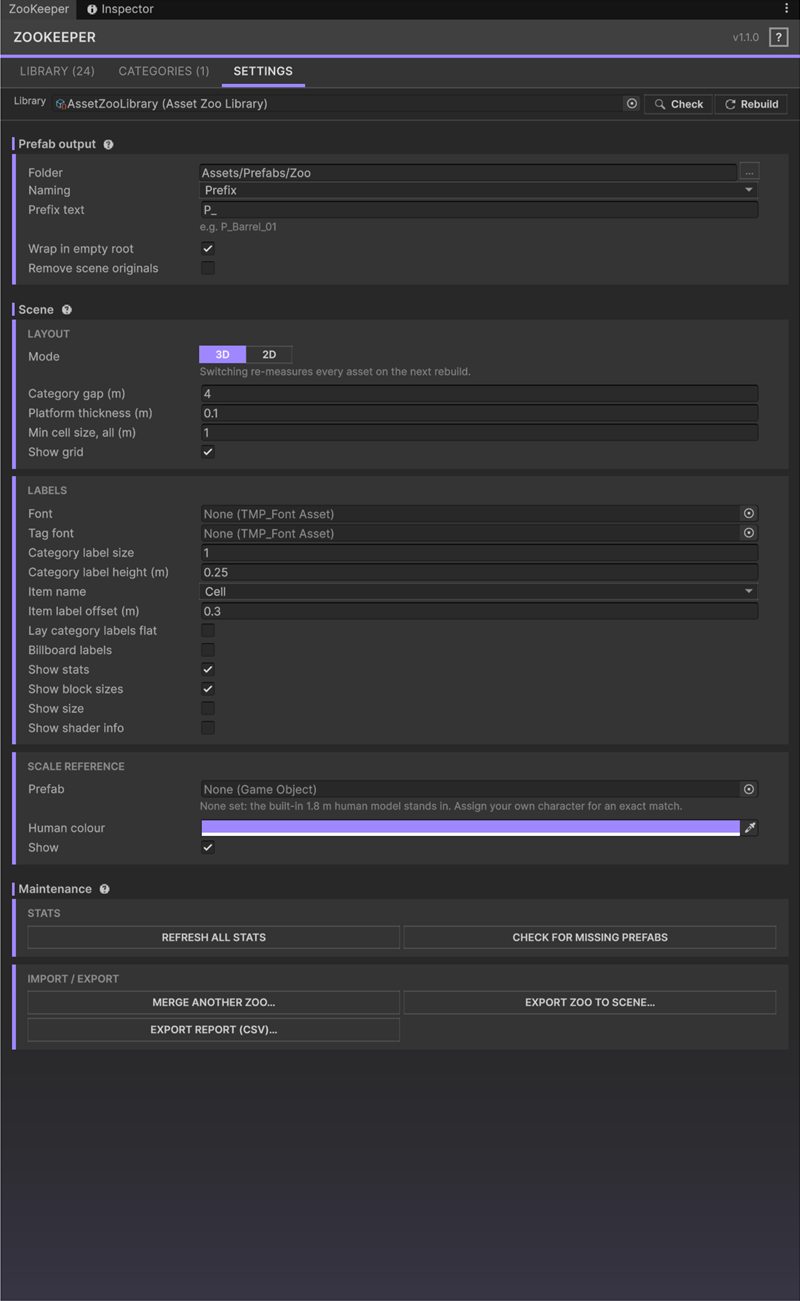
  • ZooKeeper window, Settings tab: prefab output, 3D and 2D scene mode, label options and import and export buttons.
    Settings: scene mode, labels, scale reference, import and export.

Requirements

What you need

Unity
6.0 (6000.0) or newer. Tested on 6000.0.66f2 and 6000.3.11f1.
Render pipelines
Built-in RP, URP and HDRP.
Dependencies
TextMesh Pro (com.unity.ugui in Unity 6), used for the zoo labels. If prompted, run Window > TextMeshPro > Import TMP Essential Resources.
Platform
Editor tool. Its few runtime components only hold data or reapply a tint; the zoo scene is meant as an editor workspace.
Version
1.1.0

Quick start

Up and running in five steps

  1. Install the package and open Tools > ZooKeeper > Window.
  2. Click Create New Library and name the first category.
  3. Drag prefabs or models from the Project window into the drop zone, pick a category, and click Add to zoo.
  4. Confirm the first build. The platforms appear under a [Zoo] root.
  5. Use Rebuild in the toolbar to regenerate the zoo at any time.

A demo scene with ten sample models is included in the package.

Questions, bugs or feature requests?

Contact support